
Casino Games
BestOdds Casino App
Download the BestOdds app on iOS and Android for slots, live casino and sport in one account, or play instantly in your mobile browser. Licensed by the UK Gambling Commission.
On this page
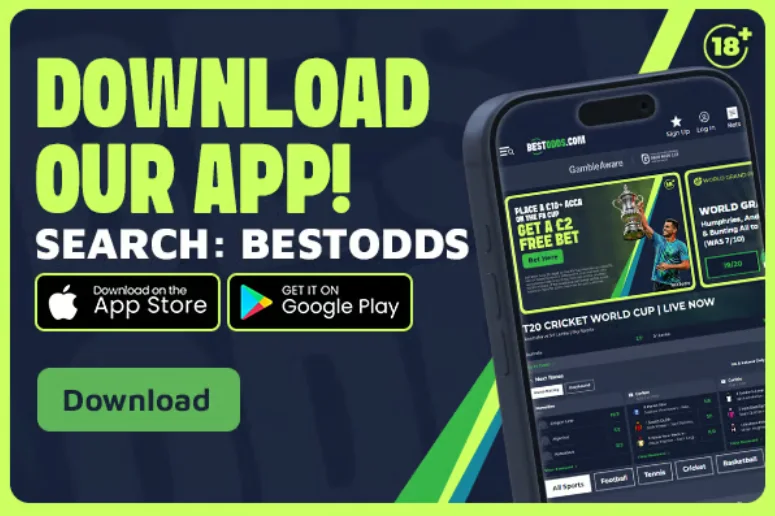
Most UK casino play now happens on a phone rather than a desktop, so we built the BestOdds app to make mobile the best way to play with us. Available on both the Apple App Store and Google Play — just search “BestOdds” — the app puts our slots, live casino and sport in a single account, so you can move between a bet and a spin without logging in twice. On this page we walk you through downloading the app, how it compares with playing in your mobile browser, and the iOS and Android details worth knowing before you install.
Download the BestOdds App
Getting the app takes moments, and you can be spinning within minutes:
- Open the Apple App Store on your iPhone or iPad, or Google Play on your Android device.
- Search for “BestOdds” and select our official listing.
- Tap Get or Install and let the app download.
- Open the app, log in to your existing account or tap Sign Up to register, and you’re ready to play.
You don’t have to install anything to play with us, though. Prefer to keep your phone clutter-free? Open our site in any mobile browser, log in exactly as you would on desktop, and “add to home screen” for an app-style icon without an installed app behind it. The app is a convenience, not a requirement — the choice is yours.
The BestOdds App vs Mobile Browser
Both routes get you the full casino, so it comes down to which feels better for you. The native BestOdds app is downloaded and installed on your phone, generally offering faster load times, smoother animations and biometric login (fingerprint/Face ID) once it’s set up. Browser play runs entirely through your phone’s mobile browser with no download required — you log in the same way you would on desktop, and you can “add to home screen” for an app-like icon at any time.
Whichever you pick, you’re on the same account, the same game library, the same GBP cashier and the same Great Britain Gambling Commission licence. The app never needs a manual update to catch a great new release, and the browser never needs an install — so most players simply use whatever’s to hand.
How the two compare:
| BestOdds native app | BestOdds mobile browser / home-screen shortcut | |
|---|---|---|
| Installation | Download from the App Store or Google Play | No install — works instantly in any mobile browser |
| Updates | Occasional app updates via your store | Always runs the latest version automatically |
| Performance | Often marginally faster, smoother animations | Generally close, depending on your device and connection |
| Login convenience | Biometric login (fingerprint/Face ID) once enabled | Saved-session or quick-login |
| Storage | Uses a little phone storage | Uses none beyond browser cache |
| Availability | iOS and Android | Any modern mobile browser |
For most players the practical difference is small, and both are backed by the same account, games and licensing. Choose the app for its smoother feel and biometric login, or the browser for its zero-install convenience — either way you get the full BestOdds Casino.
BestOdds App Features
- Everything in one account. Slots, live casino and sport all sit behind a single BestOdds login, so you can move between them without switching apps or logging in again.
- Full game parity. The app carries the same range of slots, live tables and jackpots as desktop — no stripped-down subset — including our headline 96%+ RTP titles.
- Biometric or fast login. Enable fingerprint or Face ID on the app, or use quick-login in the browser, to get back in fast. See our Log In and My Account page.
- Your account tools, always to hand. Deposit and loss limits, session reminders, time-outs and self-exclusion via GamStop are as accessible in the app as on desktop; see our responsible gambling page.
- Notification controls you own. Turn marketing push notifications on or off whenever you like from the app’s settings — no digging required.
- Instant cashier. Deposit and withdraw in GBP with PayPal, Trustly, Skrill, Neteller and debit cards straight from your phone; see our payments guide.
- Fast, reachable support. Live chat, help pages and account settings are a couple of taps away, mobile-first by design.
BestOdds on iOS vs Android
We list the BestOdds app on both platforms, and the casino plays the same on each — the differences are only in how you install it:
- iOS (Apple): download the BestOdds app straight from the App Store on your iPhone or iPad. Once installed you can enable Face ID or Touch ID for a one-tap login.
- Android (Google): install the BestOdds app from Google Play on your phone or tablet, and set up fingerprint login for quick, secure access.
Whichever platform you’re on, the game library, RTP figures and Great Britain Gambling Commission licence are identical. Choosing the app or the browser is about the interface you prefer, never about which games or odds you can reach — those are the same everywhere you play with us.
To keep your download safe and up to date, we recommend always installing from the official Apple App Store and Google Play listings rather than any third-party site. That way you get automatic updates and store-level security scanning, and you can be certain you’re on the genuine BestOdds app.
Playing Live Casino on Mobile
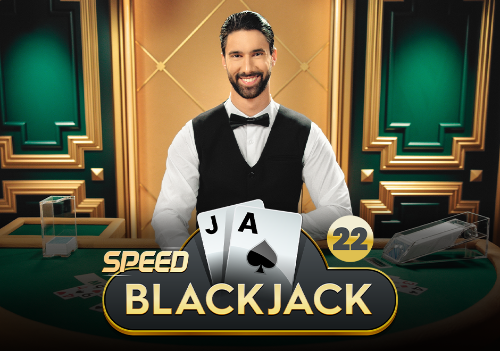
Live casino is one of the more demanding formats to stream on mobile, since it’s a continuous video feed rather than a lightweight game engine. A stable Wi-Fi connection or a strong 4G/5G signal makes a real difference to how smoothly the stream runs and keeps the feed in step with the dealer — worth sorting before you sit down at a live table on patchy mobile data. Our live casino guide covers our live formats, our Pragmatic Play Live studio and what to expect from a session.
The BestOdds app and mobile site both let you adjust video quality manually if you’re on a limited data connection, so check the live lobby’s settings before assuming full HD is your only option.
Screen size matters for live play too: table layouts, betting grids and chat panels are condensed onto a smaller display than desktop. Our live tables are optimised for phone screens rather than simply shrinking the desktop view, so the controls stay easy to reach whether you’re playing blackjack, roulette or a game show on the move.
Mobile Payment Methods
Funding your account on the go is quick and priced entirely in GBP. Deposits from PayPal, Trustly open banking, Skrill, Neteller and debit cards go through instantly in the app or your mobile browser, so there’s no conversion to think about and no card details to re-enter each time. When it’s time to cash out, e-wallets and open banking are the fastest routes — often paid within a few hours of approval. Our payments guide breaks down every method and typical timing so you know exactly how the cashier works before your first mobile session.
Mobile Data & Battery Tips for Long Sessions
- Lower video and animation quality in the app if you’re on mobile data rather than Wi-Fi, particularly for live casino streaming.
- Close background apps before a live casino session — video streaming and battery both compete with other running apps for resources.
- Keep a charger or power bank handy for longer sessions; live streaming and high-frame-rate slot animations are among the more battery-intensive things your phone will run.
- Set session reminders in your BestOdds account tools — a genuinely useful habit whatever device you’re on.
- Watch your data allowance if you’re off Wi-Fi. An hour of live casino streaming uses a much larger chunk of data than an hour of slots, since it’s continuous video rather than lightweight game assets.
- Keep the app or browser updated through your app store, or keep your phone’s browser current, for the latest security patches.
BestOdds Account Security on Mobile
Playing on your phone is safe with us, and a few simple habits keep it that way beyond a strong password:
- Enable biometric login (fingerprint or Face ID) in the BestOdds app where your device offers it. It’s both quicker and more secure than a saved password alone, especially on a device others might pick up.
- Prefer your home Wi-Fi or mobile data over public networks for real-money play, since public Wi-Fi carries a higher risk of interception.
- Log out on shared devices. If you ever open your account on a device that isn’t solely yours, make logging out a habit rather than relying on an automatic timeout.
- Watch for phishing. As a licensed UK operator, we will never ask for your full password or card PIN by email, SMS or an in-app pop-up. Treat any message asking for those details as suspicious, however official it looks, and reach us on support@bestoddscasinoslots.uk if in doubt.
Ready to play at BestOdds Casino?
Join today, claim your 250 free spins welcome offer and start spinning our top RTP slots. 18+ | begambleaware.org | T&Cs apply.
FAQ
Frequently Asked Questions
Does BestOdds have a mobile app?
Yes. The BestOdds app is available on the Apple App Store and Google Play — just search "BestOdds" to install it. It puts our slots, live casino and sports in one account, so you can move between betting and spinning without a separate login.
Can I play BestOdds casino games in a mobile browser instead of the app?
Yes. If you'd rather not install anything, our site runs in your phone's mobile browser and carries the same games, RTPs and Great Britain Gambling Commission licensing as the app. Plenty of our players never install the app at all and simply add the site to their home screen.
Is it safe to play BestOdds live casino games on mobile data?
Yes. As a Great Britain Gambling Commission-licensed operator, we encrypt your mobile traffic exactly as we do on desktop. The only thing to think about is stream quality and data usage rather than safety — a weak signal can cause lag or buffering during a live session.
Do the BestOdds mobile games match the desktop version?
Yes. We build for full parity between desktop and mobile, so the slots, live tables and jackpots you see on one carry across to the other, priced in GBP with the same 96%+ RTP on our headline games.
How do I log in to the BestOdds app securely?
Use a strong, unique password, enable biometric login (fingerprint/Face ID) where your device offers it, and never save your login details on a shared device. As a licensed UK operator we also apply our own account security and verification checks on top of your login. See our Log In and My Account page for more.
Do I need the app to claim the welcome offer?
No. The 250 free spins welcome offer — 50 a day across 5 days with a £20 minimum deposit and code bop5x50fs — is the same whether you sign up in the app or your mobile browser. See the welcome offer page for full terms. 18+, new customers only, T&Cs apply.
Does the BestOdds app use more mobile data than playing on a computer?
Data usage depends on what you're playing rather than the device itself. Slots use relatively little data, while live casino streaming uses considerably more due to continuous video. If you're mindful of a limited data allowance, check the video-quality settings in our live lobby before a long session.